DuckDecorator Hakkinda
DuckDecorator, oyun ici sohbet deneyiminiz uzerinde tam kontrol saglayan Silkroad Online icin guclu bir sohbet gelistirme paketidir! Kolay yapilandirma icin bir Masaustu Yoneticisi ve gercek zamanli oyun entegrasyonu icin hafif bir DLL icerir.
Masaustu Yoneticisi: Guzel bir arayuzle tum ayarlarinizi yonetmek icin kullanimi kolay yapilandirma uygulamasi
Oyun Entegrasyonu: Tum yapilandirmalari gercek zamanli olarak uygulamak icin istemcinizle sorunsuz bir sekilde entegre olan hafif DLL
Temel Ozellikler
Gercek Zamanli Guncellemeler
GUI'de degisiklikler yapin ve yeniden baslatmadan oyun icinde aninda uygulandigini gorun! Her 500ms'de hot-reload.
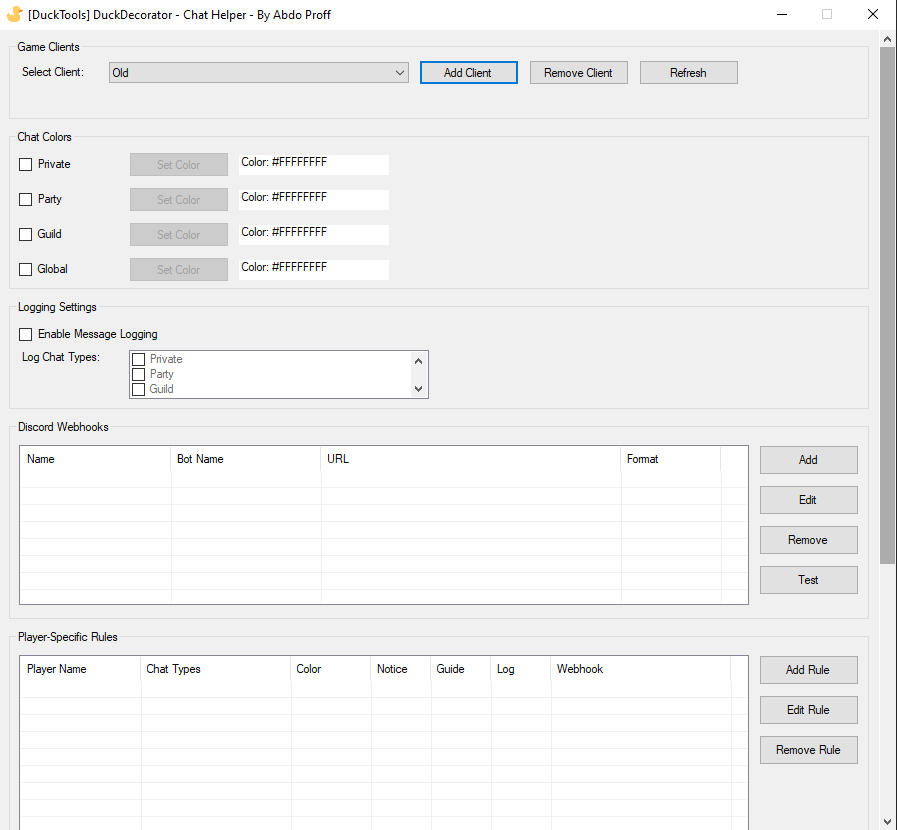
Sohbet Renk Ozellestirmesi
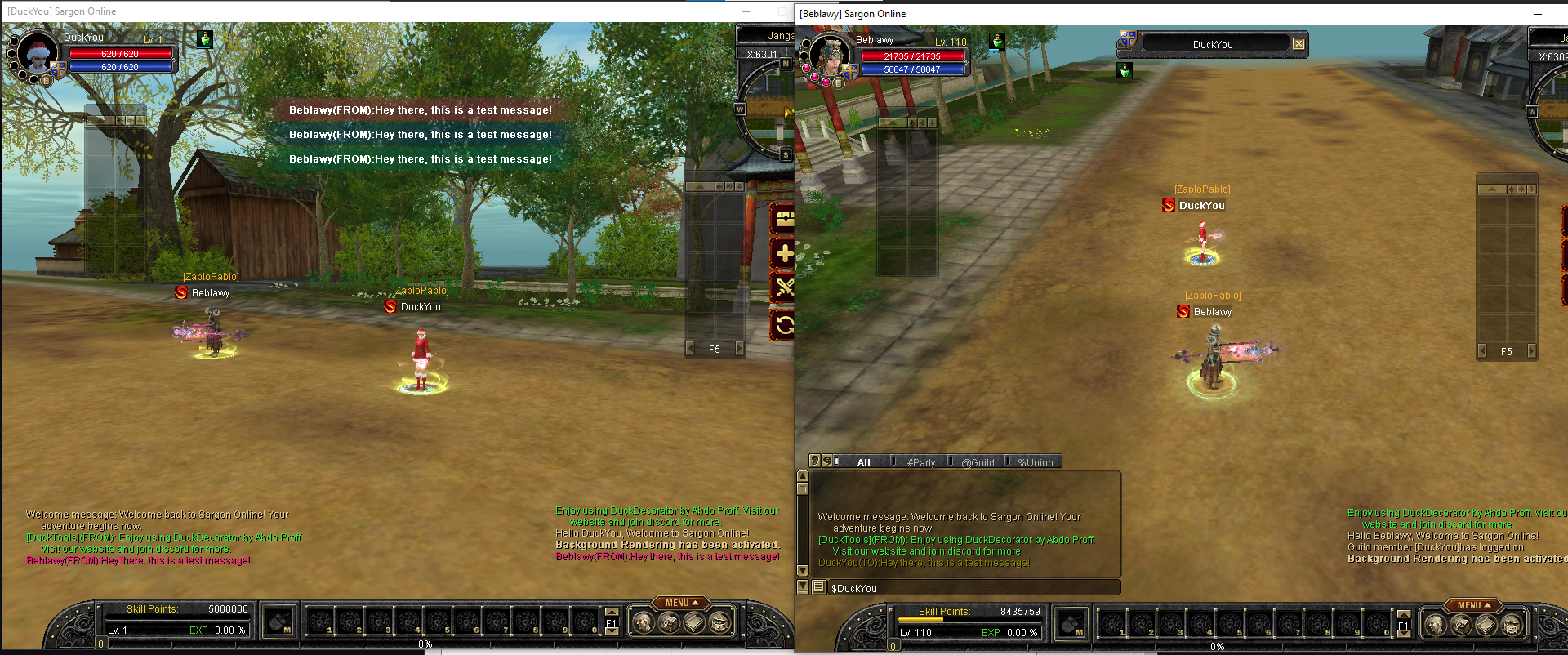
Tam ARGB destegi ve seffaflik ile Ozel, Parti, Lonca ve Genel sohbet icin renkleri ozellestirin
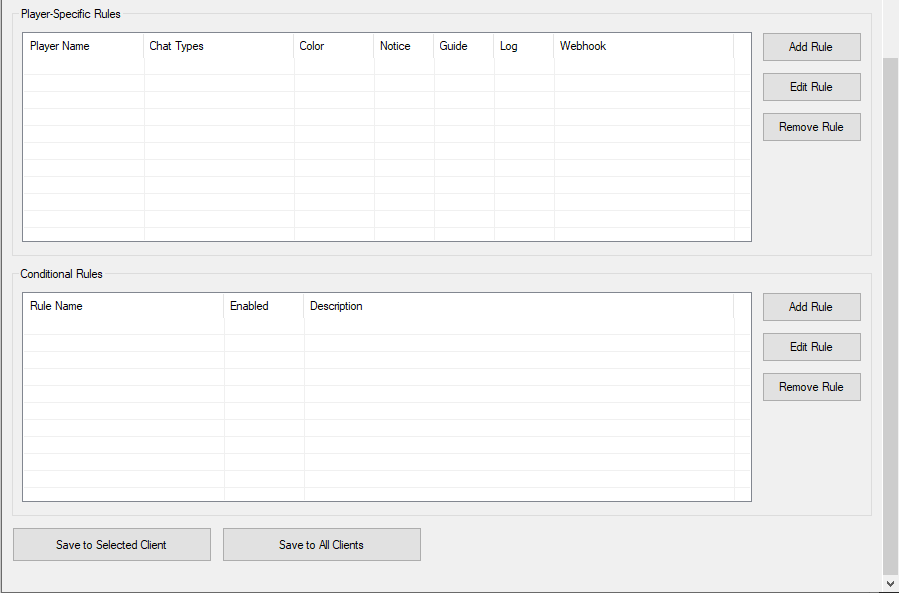
Oyuncuya Ozel Kurallar
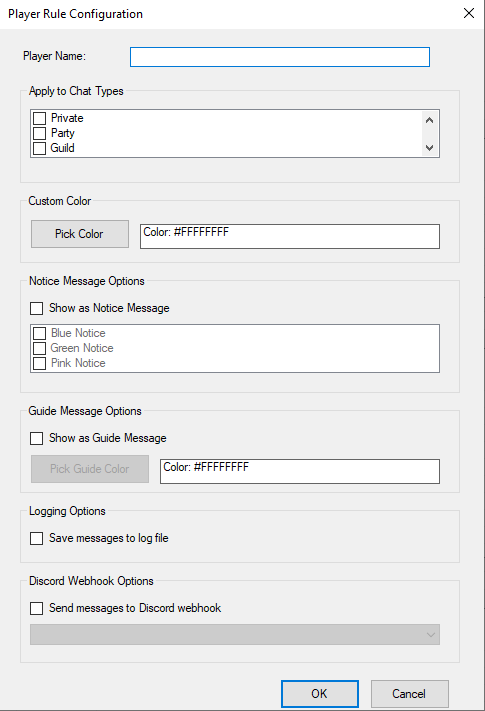
Benzersiz renkler, bildirimler ve Discord bildirimleri ile bireysel oyuncular icin ozel kurallar olusturun
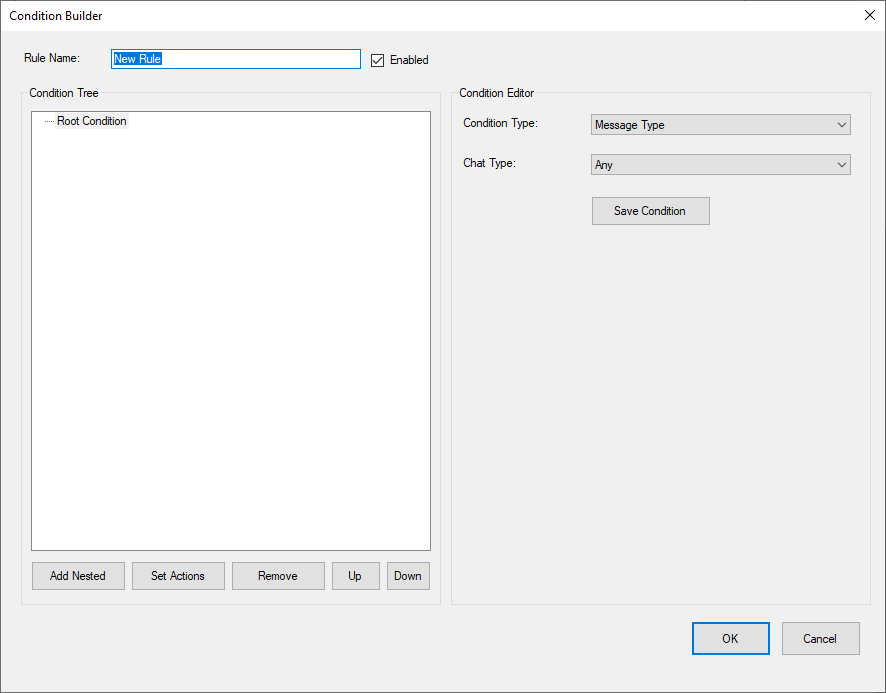
Gelismis Kosullar
Mesaj filtreleme, gunlukleme ve webhook eylemleri ile ic ice kosul kurallari olusturun
Discord Entegrasyonu
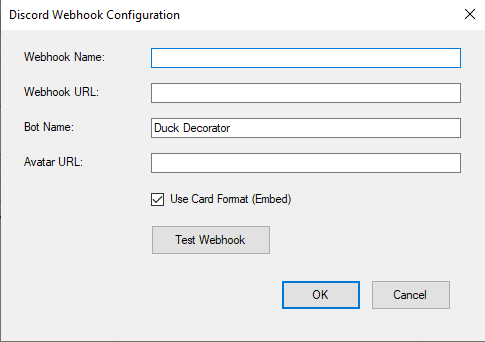
Ozel bot adlari, avatarlar ve zengin embed bicimlendirmesi ile birden fazla webhook yapilandirin
Guclu Gunlukleme
Otomatik gunluk rotasyon, sohbet turune gore ayri gunlukler, oyuncuya ozel gunlukler ve otomatik temizlik
Ekran Goruntuleri
Ayrintili Ozellikler
Sohbet Renk Ozellestirmesi
- Customize colors for Private, Party, Guild, and Global chat
- Enable/disable coloring per channel individually
- Full ARGB color support with transparency options
- Real-time color preview in the configuration manager
- Beautiful color picker with custom presets
Oyuncuya Ozel Kurallar
- Create custom rules for individual players (friends, VIPs, enemies, guildmates)
- Override chat colors for specific players with unique colors
- Display messages as Notice bubbles (Blue/Green/Pink) for important players
- Show as Guide messages with custom colors - impossible to miss!
- Apply rules only to specific chat types (e.g., only Private and Party)
- Per-player logging to dedicated files
- Per-player Discord webhook notifications
Gelismis Kosullar
- Create nested conditions with visual tree builder
- Condition Types:
- Message Type - Filter by Private/Party/Guild/Global/Any
- Message Contains - Case-insensitive text matching
- Sender Is - Match specific player names
- Sender Is Not - Exclude specific players
- Actions:
- Save to Log File - Automatically log matched messages
- Send to Discord Webhook - Get instant notifications
- Combine conditions with AND logic for powerful filtering
- Enable/disable rules on the fly without game restart
Discord Entegrasyonu
- Configure multiple webhooks for different purposes
- Custom bot name and avatar per webhook
- Two message formats:
- Normal text format
- Rich embeds with color coding
- Color-coded embeds by chat type (Pink for Private, Purple for Party, Green for Guild, Blue for Global)
- Test button to verify webhooks instantly
Guclu Gunlukleme
- Automatic daily rotation - New file each day
- Separate logs by chat type (Private_2025-10-13.txt, Party_2025-10-13.txt)
- Player-specific logs (Player_FriendName_2025-10-13.txt)
- Conditional rule match logs (Rule_GWAlerts_2025-10-13.txt)
- Automatic cleanup of logs older than 30 days
- All logs organized in "DuckDecorator Logs" folder
- Timestamps on every entry
Multi-Client Support
- Manage multiple game clients with ease
- Per-client configuration profiles
- Save settings to all clients at once
- Easy switching between configurations
- Export/Import settings via JSON files
Kurulum Kilavuzu
Yontem 1: Stud_PE ile Gomme (Onerilen)
Bu yontem DLL'yi dogrudan oyun calistirici dosyaniza gomer, boylece otomatik olarak yuklenir!
- Download DuckDecorator and extract all files to a safe location
- Copy DuckDecorator.dll to your Silkroad game folder (where sro_client.exe is located)
- Download and run Stud_PE
- Open your sro_client.exe in Stud_PE
- Go to Functions → Add New Import
- Click "DLL Select" and enter: DuckDecorator.dll
- Click "Select Func." and select the exported DllMain function
- Click OK and save the modified executable
- Run DuckDecorator.exe (Configuration Manager)
- Click "Add Client", name it, and browse to your sro_client.exe
- Configure your settings and click "Save to Selected Client"
- Start your game normally - the DLL will load automatically!
Yontem 2: DLL Enjektoru Kullanma (Daha Kolay)
Bu yontem oyun calisirken DLL'yi enjekte eder, calistirici dosyanizi degistirmek istemiyorsaniz idealdir.
- Follow steps 1-2 from Method 1, then configure settings in the manager
- Start your game first
- Run your preferred DLL Injector (e.g., Extreme Injector, Xenos, or any other)
- Select sro_client.exe from the process list
- Select DuckDecorator.dll from your game folder
- Click Inject - the tool will be active immediately!
Onemli Notlar
Genel Sohbet Davranisi
When coloring Global chat, you may see messages twice - the colored version and the original. This happens because:
- The DLL colors and displays the message immediately
- The server sends a separate global message notification with a different opcode
- This opcode varies between different Silkroad servers
- Both messages appear to ensure you don't miss anything
This is normal behavior and doesn't affect other chat types!
Birden Fazla Istemci ve Gunlukleme/Webhook'lar
IMPORTANT: If you run multiple accounts from the same game folder:
- Each running client will execute file logging and Discord webhook actions
- If you have 5 clients running and a condition triggers, the webhook will fire 5 times
- The log file will receive 5 entries
Solution:
- Use separate game folders for each account
- Only enable logging/webhooks on one client
- Or use different webhook URLs per client to track which account triggered
This only affects logging and webhooks. Color customization and player rules work perfectly with multiple clients!
Sikca Sorulan Sorular
Q: Does it work with all Silkroad servers?
A: DuckDecorator is designed for any V1.188 Silkroad client.
Note: Servers with heavily modified protocols may require adjustments.
Q: Can I use multiple webhooks?
A: Yes! You can configure unlimited webhooks and assign different ones to different rules. Perfect for organizing notifications by type!
Q: Can I export/import my configuration?
A: Absolutely! Just copy the DuckDecorator-Colors.json file from your game folder to another. You can also use "Save to All Clients" in the manager.
Q: How do I update rules while playing?
A: Just edit in the Configuration Manager and save. Changes apply automatically within 500ms - no restart needed!
Q: Is it safe to use?
A: Yes! DuckDecorator is completely safe. It only modifies how chat messages are displayed on your screen - it doesn't modify game packets, give any gameplay advantages, or affect other players. Think of it like changing your UI theme.
Q: What happens if I use it with a bot?
A: Works perfectly with bots! Just remember the multi-client warning about logging/webhooks if running multiple instances from the same folder.
Q: What's the difference between Method 1 and Method 2?
A: Method 1 (Embedding) permanently integrates the DLL into your executable for automatic loading. Method 2 (Injector) requires manual injection each time but doesn't modify your exe. Choose what works best for you!